


Nesiya Tova - נסיעה טובה
4.946.00 Reviews
App Specs
- Version
- 5.6.2
- Updated On
- License
- Free
- Downloads
- 10,000+
- Developer
- Nesiya Tova LLC
- Categories
- Travel & Local
- Platform
- Android
Screenshots
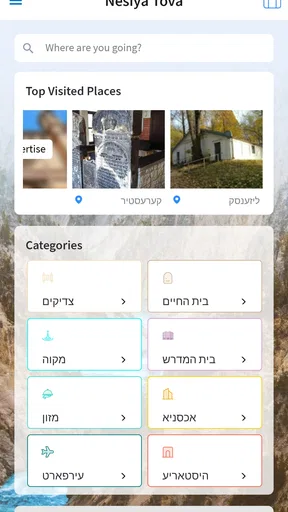
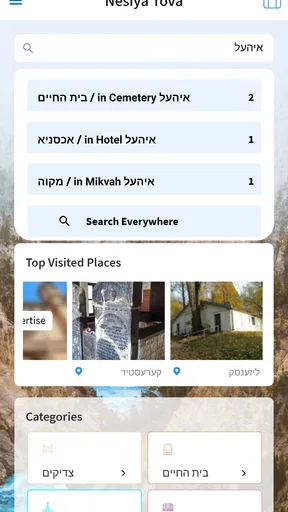
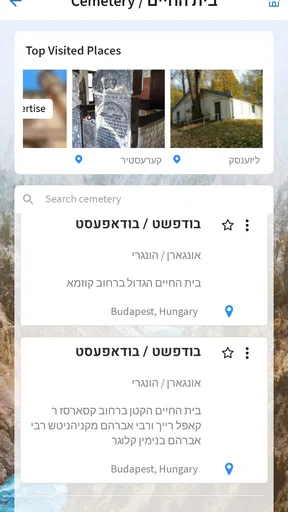
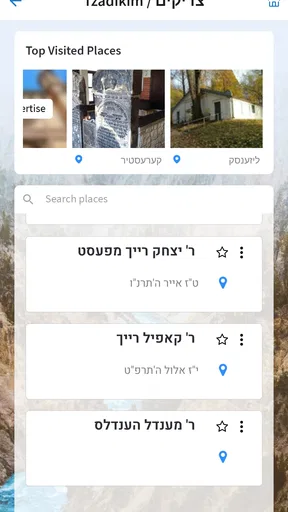
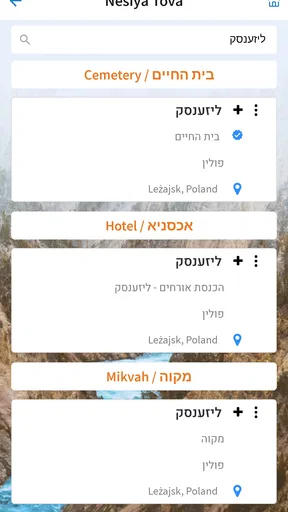
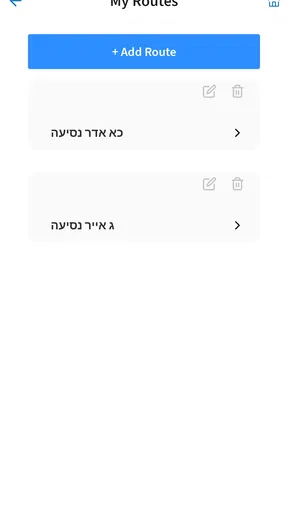
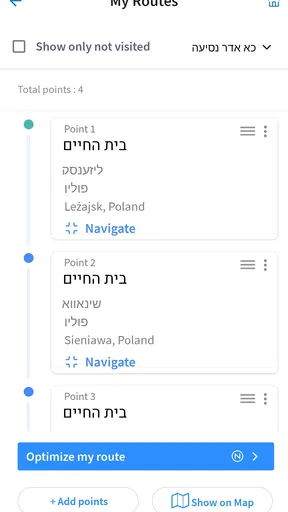
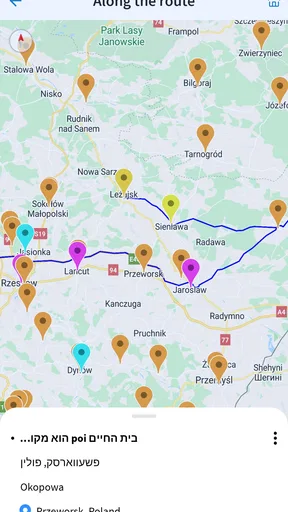
 Analysis by AppCompare
I found Nesiya Tova - נסיעה טובה most interesting as a focused travel and local app rather than as a general-purpose trip planner. Its purpose is tied to travel and to reaching holy places, so the right question is not whether it can replace every map, booking service, or itinerary tool. The better question is whether it can make a particular kind of journey easier to organize, especially for people who want a more direct connection to sacred destinations and the practical needs around visiting them.
After spending time with it, my impression is positive but specific. I would recommend it to someone planning a visit connected with holy places, particularly if they prefer a dedicated app over assembling information from several unrelated services. I would not recommend treating it as the only tool for a complicated trip. Its value depends on how closely your plans match its central purpose, and that matters even more for travelers with different reading, movement, hearing, vision, or communication needs.
How the app feels to read and navigate
I find the reading experience most useful when I treat the app as a focused guide, not a screen to explore while rushing between stops. Before setting out, I would identify the information I need and make sure I can read it comfortably on my phone. That small check also helps me decide how to prepare for using it away from home.
A focused starting point for a focused journey
The app comes from Nesiya Tova LLC and sits in the Travel & Local category. That positioning is useful because it sets a more realistic expectation than the broad word “travel” might suggest. I approached it as a companion for reaching מקומות הקדושים, or holy places, rather than as a full replacement for a mainstream navigation platform. This narrower role can be a strength: a person who already knows the purpose of the trip may not want to sort through hotel deals, restaurant listings, and unrelated tourist suggestions before finding relevant information.
On the other hand, focused apps can feel less forgiving when a traveler wants to move beyond the main purpose. I found it important to keep a general maps app, transport source, or translation tool available for the parts of a journey that extend past the app’s central subject. That is not a criticism of its concept. It is simply the trade-off of using a specialized guide instead of one large service that tries to cover every travel need.
Readability matters more than a crowded feature list
For me, the most useful way to judge this app is by how quickly a traveler can understand what to do next. People often use travel apps while standing in a station, sitting in a vehicle, or trying to coordinate with family members. A screen that is easy to scan is more valuable in those moments than a long list of impressive options. I paid attention to whether the wording felt approachable and whether the main purpose stayed understandable without requiring a technical background.
That focus also helps older travelers and people who are not comfortable with complicated digital services. Someone arranging a visit for a parent, grandparent, or group may appreciate an app that feels less like a planning dashboard and more like a direct travel aid. Still, I would not assume that every person will find the reading experience equally comfortable. Text size, contrast, language familiarity, and the density of individual screens can affect usability, and those needs vary widely from one traveler to another.
Worth Reading Before You Choose

Flipboard Shows What News Apps Must Do Beyond the Feed

Switching to Android Auto Means Rethinking Your Driving Routine

Google Calendar Makes a Crowded Week Easier to Manage

Ludo King Makes the Most of the Minutes Between Plans

Baby Panda World Brings Quick Play to Modern Phones, but Its Game Library Feels Busy

ESPN’s Live Game View Makes Following Close Games Easier
My practical reading routine
My advice is to explore the app before the day of travel, when there is no pressure to make a quick decision. I would open the relevant sections at home, note the information that seems essential, and save a simple written reminder for the journey. This is especially helpful for someone who reads slowly, uses magnification, needs more time to process instructions, or shares planning duties with another person.
A useful habit is to make one short plan rather than trying to remember everything shown on screen. Write down the destination, the people traveling with you, and the next step you expect to take. That turns the app into part of a wider routine instead of making it the only place where important details live. It also reduces the stress of repeatedly reopening screens in a noisy or crowded setting.
Who benefits most from this navigation style?
I think the strongest audience is a traveler who has a clear spiritual destination and wants a dedicated place to begin organizing the visit. Families, small groups, and people helping someone else prepare may find that focus reassuring. It can also suit users who feel overwhelmed by broad travel platforms filled with unrelated recommendations.
It is less suitable for someone who wants a single interface for flights, accommodation, live public transport, turn-by-turn directions, accessibility routing, and a detailed day-by-day itinerary. In that situation, a mainstream maps or travel-planning service will usually remain necessary. I would use this app as a specialized layer, not as a universal control center.
Access in real travel situations
For a real journey, I would pair the app with a simple backup plan: keep essential details written down and agree with a companion on who will handle the phone if the surroundings become distracting. That matters especially when a traveler needs extra time, support, or a break from screen use. With that preparation in place, the next question is how to make access workable throughout the trip.
Motor needs and the pressure of movement
Travel changes the way people interact with a phone. A user may have one hand occupied by a bag, may be walking with a cane, or may need to steady a mobility aid before touching the screen. Even a simple action becomes harder when the device is being used outdoors, in a vehicle, or while accompanying another person. I therefore prefer workflows that can be completed in a small number of deliberate steps rather than requiring constant switching between screens.
For someone with limited dexterity, I would prepare the important information before leaving. If a companion is available, it may be practical for that person to handle the phone while the traveler gives verbal directions about what is needed. This approach is not a substitute for accessible design, but it can make a specialized travel app more workable in a group. A protective case, a stable phone grip, and a larger device may also help, though those are personal choices rather than app features.
Travelers who use a wheelchair or have difficulty walking should be especially careful about assuming that an app’s travel focus automatically means that every route or destination detail will reflect their needs. I would verify physical access, distances, entrances, rest opportunities, and transport arrangements through additional sources or directly with a knowledgeable companion. The app can support planning, but the practical reality of a sacred site may involve terrain, crowds, steps, or changing conditions that a digital screen cannot fully communicate.
Vision, hearing, and sensory comfort
For users with low vision, I would test the app with the phone’s own display enlargement and other system-level reading options before relying on it. The important test is not simply whether a page opens, but whether the essential information remains understandable when the text is enlarged or the device is held farther away. If enlarged content forces excessive horizontal movement or hides key controls, the user may need help from a companion or another planning source.
People with color-vision differences should avoid relying on color alone to interpret an important distinction. When preparing for a journey, I would look for wording, labels, or another clear cue rather than assuming that a particular shade carries the whole meaning. For users who are deaf or hard of hearing, written information is particularly important in situations where spoken guidance cannot be heard. I would keep any critical instructions in a form that can be read and shown to another person if needed.
Sensory load is another consideration that is easy to overlook. Holy sites and travel hubs can be busy, bright, loud, and emotionally intense. A traveler with autism, migraine sensitivity, anxiety, or another sensory concern may prefer to review the app in a quiet place and reduce phone notifications before going out. The app may help with preparation, but it cannot remove the noise, crowding, waiting, or unpredictability of the surrounding journey.
A realistic family scenario
Imagine a family arranging a visit for an older relative who wants to reach a holy place but becomes tired by long explanations and crowded transfers. I would have one family member explore the app in advance, identify the relevant travel information, and turn it into a short sequence: where to go first, who is responsible for the phone, and when to pause. The older traveler would not need to manage every screen while walking.
That workflow has a second benefit. It gives the family a chance to notice questions before departure. They can decide whether the relative needs larger text, whether another person should read information aloud, and whether a backup plan is needed if the phone battery becomes low or the route changes. In my view, this preparation is where a focused app becomes genuinely useful for inclusion: not by solving every barrier, but by helping a group coordinate around one traveler’s needs.
When the usual alternatives are better
For live road directions, I would still choose a dedicated navigation service. For booking accommodation or transport, I would use the relevant booking provider. For translation, I would keep a translation tool nearby. Those services are designed around their own specialties and may provide more mature controls for those tasks. Nesiya Tova makes more sense when the traveler wants a purpose-built connection to the journey’s sacred destinations rather than a broad collection of travel utilities.
The comparison is therefore not “this app versus every other travel app.” It is “a focused companion versus a collection of general tools.” The focused option can reduce searching and keep the trip’s central purpose visible. The collection offers greater breadth and may be stronger for accessibility settings, live updates, or complex logistics. I would combine them when the journey involves several transfers, unfamiliar transport systems, or a traveler who needs highly specific route information.
Costs, device support, and preparation
The app is free to install, which makes it easy to try before deciding whether it fits your travel style. It includes in-app purchases ranging from $1.99 to $99.99 per item, so I would pay attention to any purchase screen and confirm what an optional item provides before approving it. A free starting point is helpful for families testing the app together, but “free” should not be treated as a promise that every part of the experience has no cost.
Its age rating is Everyone, which makes the intended audience broad. That does not mean every screen will suit every ability or every child without assistance. A parent or caregiver should still decide whether a young traveler can use the app independently and whether payment controls need supervision. The app was released on Dec 10, 2017, and the current version is 5.6.2; I would update it before a major trip and then test the version on the actual phone that will be carried.
It supports devices running Android 7.0 or later. If you are preparing an older phone for a relative, check the operating system first rather than waiting until the departure day. I would also charge the phone fully, remove unnecessary background tasks, and carry a written backup of the most important information. These steps are simple, but they matter when a traveler depends on a screen and may not be able to troubleshoot a device under pressure.
Remaining barriers I would take seriously
The biggest limitation is the risk of expecting a specialized app to provide a complete accessibility picture. A person may need information about step-free entrances, seating, accessible toilets, quiet areas, sign-language support, service-animal arrangements, or the distance between transport stops and a destination. I would not assume that a travel-focused purpose automatically covers those details. Before leaving, I would confirm the needs that could affect safety, comfort, or independence.
Another barrier is shared responsibility. If only one family member knows how to use the app, the group can become dependent on that person. I prefer to give at least two travelers the same basic understanding and to write down the essential plan in plain language. That is particularly important when the main phone user has low vision, memory difficulties, limited hand movement, or a communication difference and may need another person to take over temporarily.
There is also a difference between digital readability and real-world access. A beautifully understandable screen cannot guarantee that a path is comfortable, a vehicle is available, or a site is calm enough for someone with sensory sensitivities. I would treat the app as one part of a human plan that includes rest, communication, flexibility, and a backup option. That may sound cautious, but it is the approach I would want for a meaningful journey where turning back is difficult.
What the community signal tells me
The app has a 4.9 average from 218 ratings, with 46 written reviews and over 10K installs. Those figures suggest that it has found a satisfied audience, and I can understand why a focused tool for this kind of travel would appeal to people with a clear need. At the same time, a community signal cannot tell me whether the app suits a traveler with a particular disability, language preference, or route requirement. I would use the strong response as a reason to try it, not as proof that every user will experience the same level of ease.
Written feedback can be most useful when it addresses practical situations rather than simply expressing enthusiasm. Before a major trip, I would look for comments that resemble my own circumstances: family coordination, older devices, reading comfort, and the kind of destination being visited. If those experiences do not match yours, test the app personally while you still have time to choose another planning method.
My inclusive verdict
I came away seeing Nesiya Tova as a useful, specialized companion for people traveling toward holy places, especially when the journey benefits from a clear central purpose and shared preparation. Its free entry point, broad age rating, and focused identity make it approachable for many users. I would recommend it to a friend who wants help organizing this particular kind of trip and is comfortable combining it with general navigation or booking tools.
My recommendation becomes more conditional for travelers who need detailed accessibility information, complex live routing, or complete independence from another person. In those cases, I would test it early, enlarge the text if needed, prepare a written backup, and verify physical access separately. The app can support an inclusive travel plan, but it should not be asked to carry the entire responsibility for one.
My bottom line is simple: use it as a focused starting point, prepare around the traveler rather than around the technology, and keep a second source for the practical details that affect movement and safety. With that realistic approach, this Travel & Local app can make a meaningful journey easier to organize without pretending that one screen can solve every access challenge.
Pros
- Simple interface makes trip planning easy for first-time users.
- Useful destination details help travelers prepare before leaving.
- Fast access to saved routes can reduce planning time.
- Supports convenient travel organization in one place.
- Helpful for users seeking practical local transportation information.
Cons
- Coverage may be limited outside supported regions.
- Some features may require an active internet connection.
- Travel information can become outdated after schedule changes.
- The interface may feel less polished on smaller screens.
- Language support may be limited for international users.
FAQs for Nesiya Tova - נסיעה טובה
What is Nesiya Tova - נסיעה טובה?
Nesiya Tova - נסיעה טובה is a travel-focused application designed to help users organize and manage journeys more conveniently. Depending on the available version and region, it may provide trip-related information, useful travel tools, planning assistance, or access to relevant services. Before downloading, check the app listing carefully to confirm its exact purpose, supported features, and compatibility with your device.
Is Nesiya Tova - נסיעה טובה free to download and use?
The application may be available to download without an upfront charge, but users should review the Google Play Store or Apple App Store listing for the latest pricing details. Some functions can require in-app purchases, subscriptions, registration, or additional service fees. It is also worth checking whether mobile data, booking charges, or third-party travel services create separate costs when using the app.
Does Nesiya Tova - נסיעה טובה require an internet connection?
Most travel applications need an internet connection to load current information, synchronize account data, update journey details, or communicate with online services. Nesiya Tova may not provide full functionality when you are offline, especially if features depend on live updates or remote servers. Before traveling, open the app in advance and check whether important information can be accessed without mobile data.
What permissions and personal information does Nesiya Tova - נסיעה טובה request?
The permissions requested can vary according to the device, operating system, and features you use. A travel app may ask for access to location, notifications, storage, or network connectivity to provide relevant information and alerts. Review the privacy policy and permission prompts before accepting them, and only enable access that seems necessary. Also check how account, contact, or travel information is stored and shared.
Is Nesiya Tova - נסיעה טובה available for both Android and iPhone?
Availability can depend on the developer, country, and current store support, so users should verify the official listing for their platform before downloading. Android users should check Google Play, while iPhone and iPad users should search the Apple App Store. Confirm the required operating-system version, developer name, language support, and recent update date to avoid installing an unofficial or incompatible version.


